
Sheet Property - 2D
[Worksheet] > [Add Sheet] or [Worksheet] > [Change Sheet Properties]
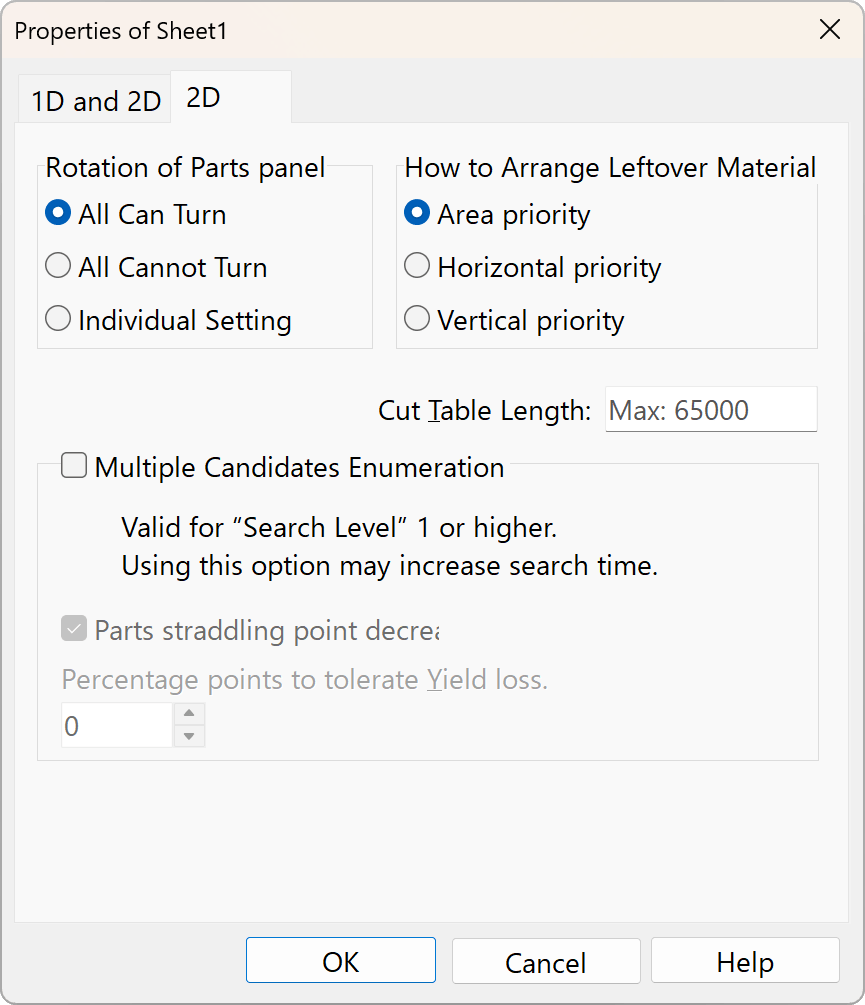
2D Optimization Options
With a few exceptions, you can apply these options to all sheets via the right-click menu.
Rotation of Parts panel
Specify whether it is possible to rotate the orientation of the parts panel. If you do not want to rotate the orientation of the parts panel—such as materials with a grain direction—select “All Not Allowed.” If you select “Set Individually,” checkboxes will appear. Please note that once you change this setting via “Set Individually,” you cannot revert it.
How to Arrange Leftover Material
Specify how to arrange the pieces when there are scraps left over.
Area priority
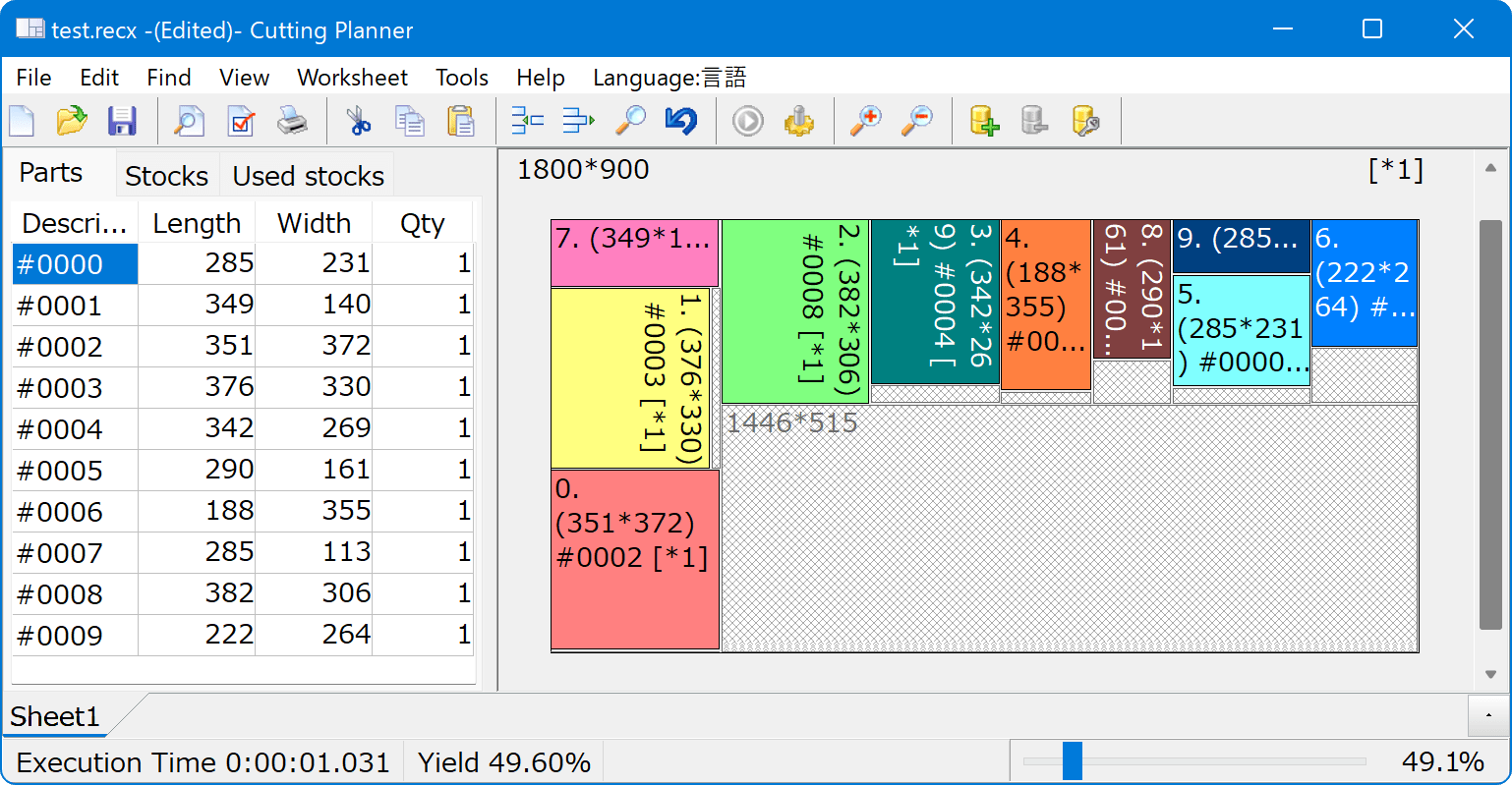
Horizontal priority
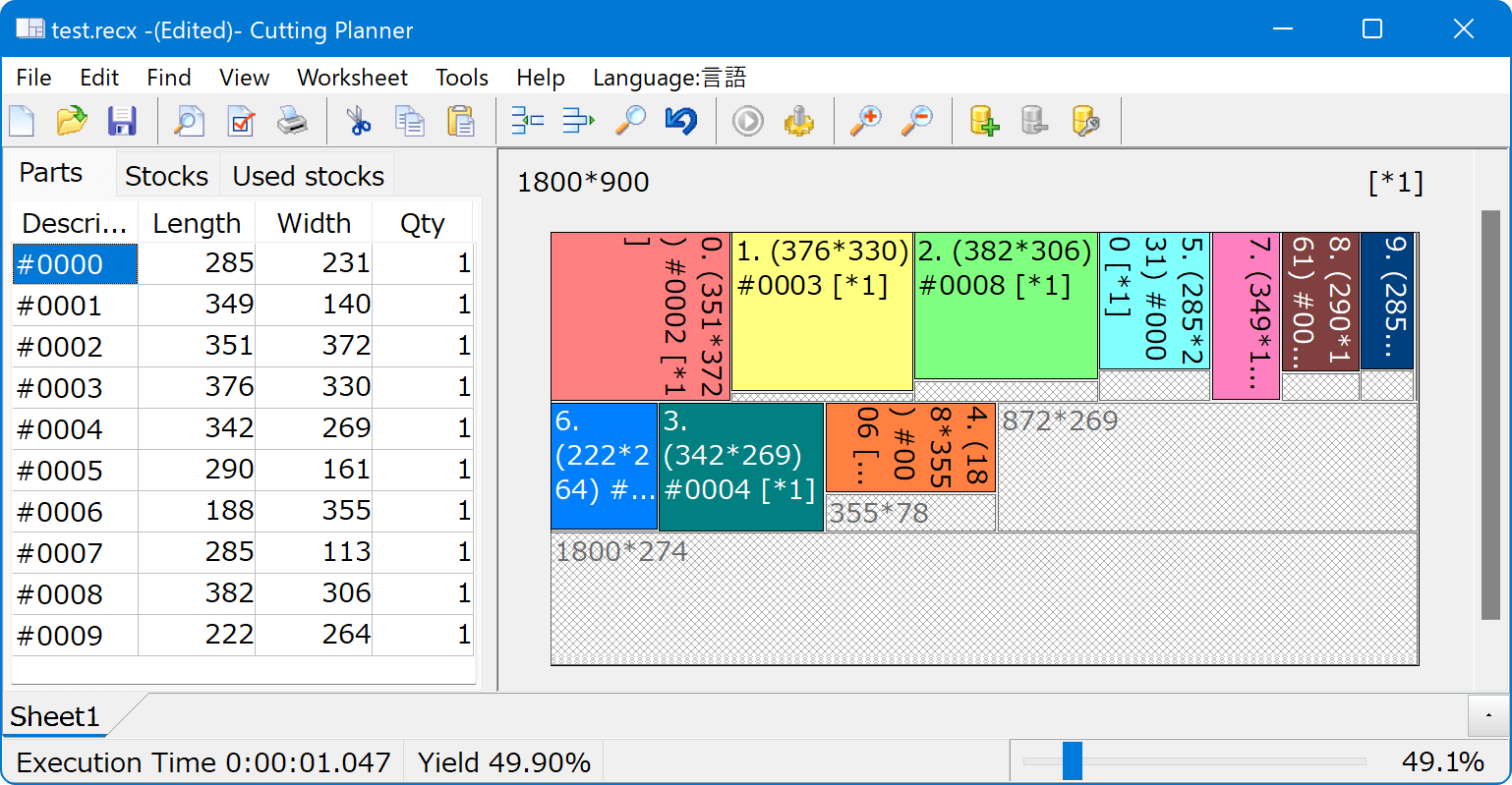
Vertical priority
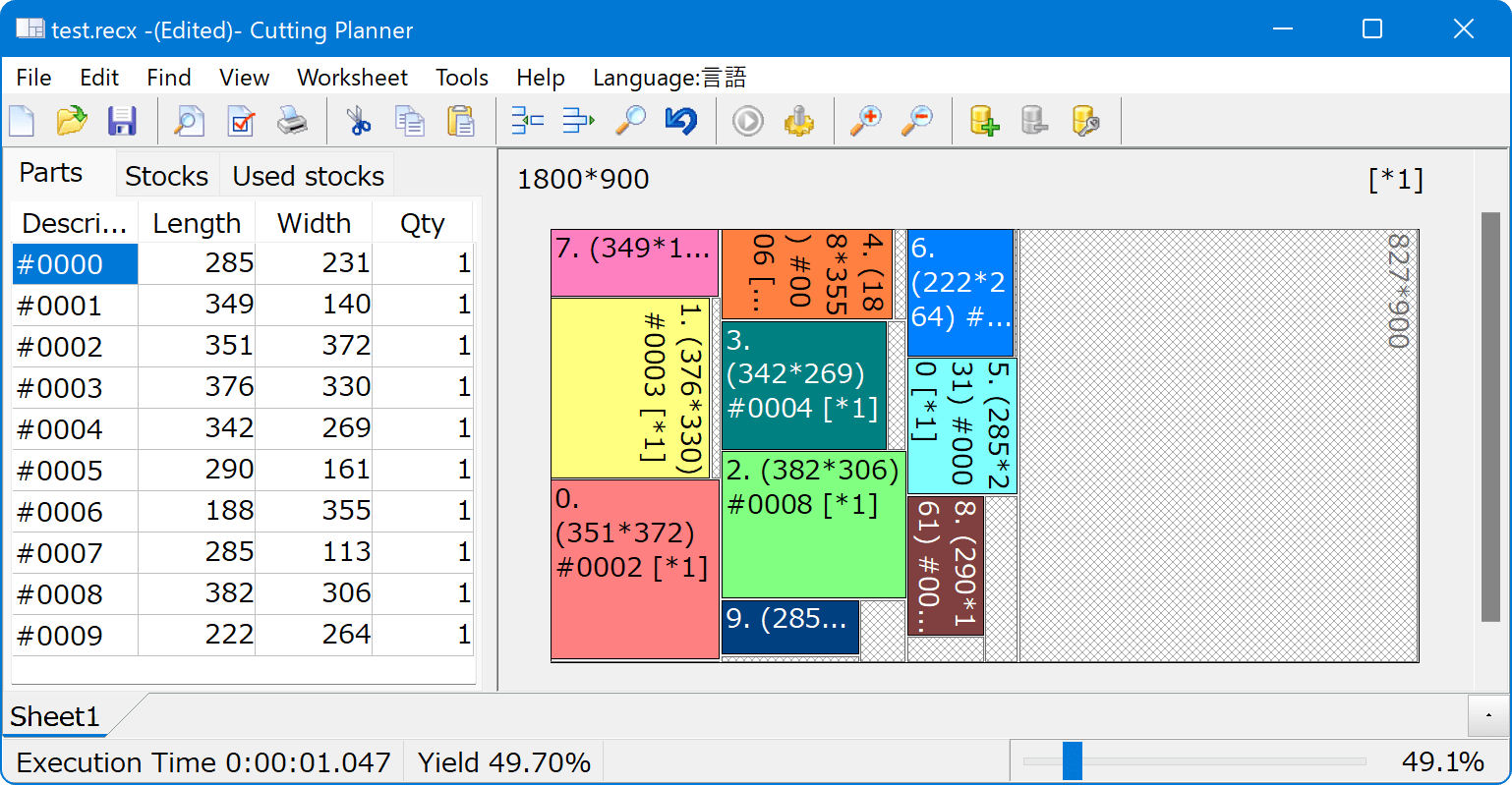
Cut Table Length
Arrange the parts according to the capacity of the cutting machine. This is used in cases where, for example, the sheet material measures 4,200 × 600 mm, but the panel saw can only handle lengths up to 1,850 mm. If no value is entered, there will be no limit (the maximum valid length).
Enter a numerical value based on the “Length Format” and “Precision” settings. If you want to enter values in 0.1 increments, set [Precision] to 0.1.
Multiple Candidates Enumeration
See the link