
Options - View
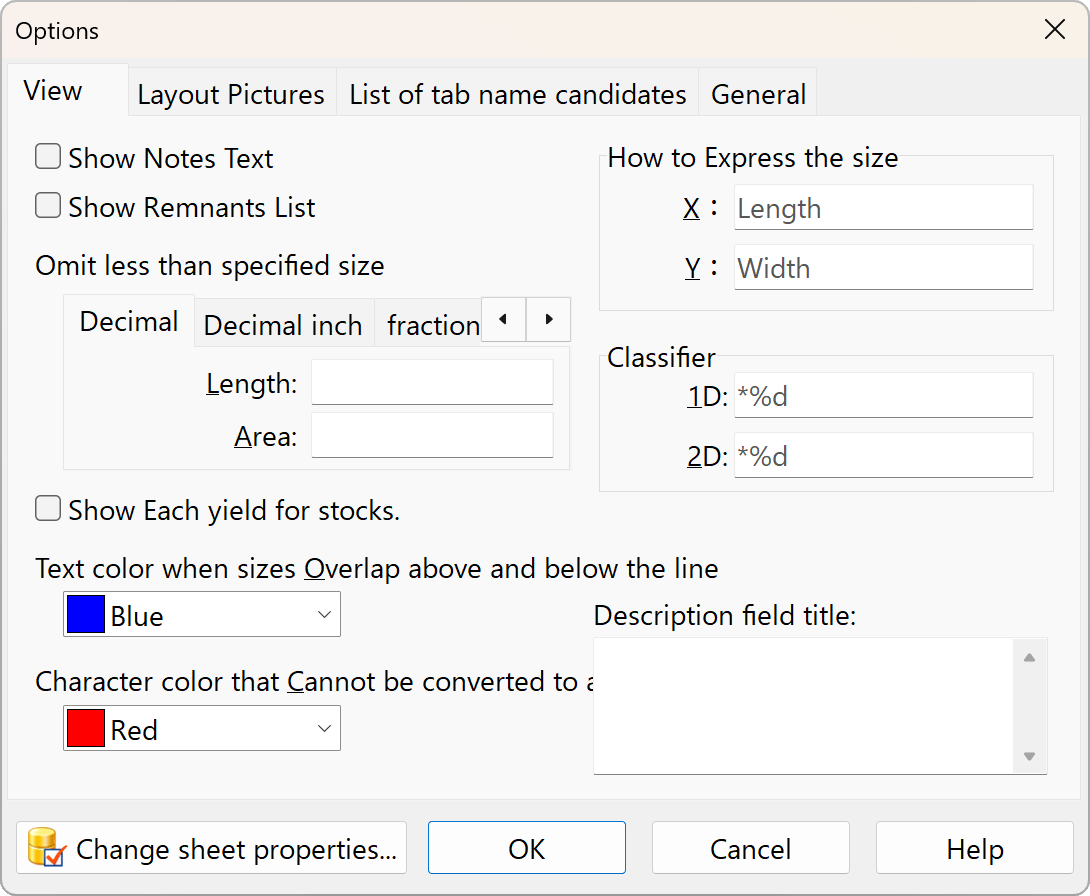
Show Notes text
Set whether to show or hide the “Notes” tab. This allows you to enter notes in the file you are editing.
Show Remnants List
When the results are displayed, a “Remaining Materials” tab will appear, showing the list.
Omit less then specifiend size
This setting hides scraps that are too small from the scrap list. The “Area” here simply refers to the product of the length and width.
Show Each yield for stocks panel
Displays the yield rate for each drawing.
Text color when sizes overlap between rows
Text color that cannot be converted to a numeric value
If you do not want to use this feature, set the color name to “Window Text.”
How to Express the size
Width, Height, Length, Depth, X, Y, etc.
Please set the units of measurement to your preference.
Classifiers
You can change the way numbers are displayed, such as “X bottles” or “X sheets.” The %d placeholder will be replaced with a numerical value.
Description field title
Set the title of the description field by entering text in lines 1, 2, and 3. This is useful when you have multiple comments and want to distinguish their purposes.